
DevConnect
A developer community platform that combines code collaboration, mentorship matching, and technical content sharing with an integrated code playground.
DevConnect - Developer Community Platform
DevConnect is a comprehensive platform designed to bring developers together for collaboration, learning, and growth. Built with Next.js and TypeScript, it offers real-time code collaboration, mentorship programs, and a vibrant technical community.
Vision
Every developer deserves access to a supportive community where they can learn, grow, and collaborate with others. DevConnect breaks down barriers by providing:
- Free mentorship from experienced developers
- Real-time collaboration tools
- Safe space for asking questions and learning
- Portfolio building opportunities
Platform Features
1. Code Playground
An integrated browser-based IDE powered by Monaco Editor (the engine behind VS Code):
import Editor from '@monaco-editor/react';

const CodePlayground = () => {
  const [code, setCode] = useState('console.log("Hello, World!");');
  const [output, setOutput] = useState('');

  const runCode = async () => {
    try {
      const result = await executeCode(code, 'javascript');
      setOutput(result.output);
    } catch (error) {
      setOutput(`Error: ${error.message}`);
    }
  };

  return (
    <div className="playground">
      <Editor
        height="60vh"
        defaultLanguage="javascript"
        value={code}
        onChange={setCode}
        theme="vs-dark"
      />
      <button onClick={runCode}>Run Code</button>
      <pre className="output">{output}</pre>
    </div>
  );
};
Supported Languages:
- JavaScript/TypeScript
- Python
- Java
- Go
- Rust
- C/C++
2. Live Collaboration
Real-time collaborative coding using WebSockets and operational transforms:
// Collaborative editing implementation
class CollaborativeSession {
  private ws: WebSocket;
  private sessionId: string;
  private pendingChanges: Change[] = [];

  constructor(sessionId: string) {
    this.sessionId = sessionId;
    this.ws = new WebSocket(`wss://api.devconnect.dev/collab/${sessionId}`);

    this.ws.onmessage = (event) => {
      const change = JSON.parse(event.data);
      this.applyRemoteChange(change);
    };
  }

  sendChange(change: Change) {
    this.ws.send(JSON.stringify({
      type: 'edit',
      sessionId: this.sessionId,
      change: change,
      timestamp: Date.now()
    }));
  }

  applyRemoteChange(change: Change) {
    // Operational transform algorithm
    const transformed = this.transform(change, this.pendingChanges);
    editor.applyEdit(transformed);
  }
}
Features:
- Multiple cursors visible in real-time
- Syntax highlighting sync
- Voice chat integration
- Screen sharing capability

Live Collaboration
3. Mentorship Matching
AI-powered algorithm matches mentees with mentors based on:
- Technical skills and learning goals
- Time zone compatibility
- Communication style preferences
- Availability and commitment level
- Industry and domain expertise
from sklearn.metrics.pairwise import cosine_similarity

def match_mentor(mentee_profile, mentors_pool):
    # Create feature vectors
    mentee_vector = vectorize_profile(mentee_profile)
    mentor_vectors = [vectorize_profile(m) for m in mentors_pool]

    # Calculate similarity scores
    scores = cosine_similarity([mentee_vector], mentor_vectors)[0]

    # Apply filters (timezone, availability)
    filtered_matches = apply_filters(mentors_pool, scores, mentee_profile)

    # Rank by composite score
    ranked = rank_by_composite_score(filtered_matches)

    return ranked[:5]  # Return top 5 matches
4. Technical Content Hub
A Medium-style blogging platform with developer-focused features:
- Markdown editor with live preview
- Code snippet embedding with syntax highlighting
- Series and collections for organizing content
- Reading time estimation
- Tags and categories for discoverability
- Draft auto-save every 30 seconds
Example of rich content formatting:
# Understanding React Hooks

React Hooks revolutionized how we write components. Let's explore **useState**:
const [count, setCount] = useState(0);
> Hooks let you use state without writing a class.

**Key Takeaways:**
- Hooks are functions
- Only call at the top level
- Only call from React functions
5. Project Showcase
Developers can showcase their projects with:
- Live demos embedded via iframe
- GitHub integration for automatic README import
- Tech stack badges
- Upvotes and comments from community
- Collaboration requests from interested developers
Technical Architecture
Frontend Stack
Built with Next.js 14 using the App Router and Server Components:
// app/projects/[id]/page.tsx
import { getProject } from '@/lib/api';
import { ProjectView } from '@/components/project-view';
import { Comments } from '@/components/comments';

export default async function ProjectPage({
  params
}: {
  params: { id: string }
}) {
  const project = await getProject(params.id);

  return (
    <>
      <ProjectView project={project} />
      <Comments projectId={project.id} />
    </>
  );
}
Benefits of Server Components:
- Faster initial page load
- Reduced JavaScript bundle size
- Better SEO
- Simplified data fetching
Database with Prisma
Using Prisma ORM with PostgreSQL for type-safe database access:
model User {
  id            String    @id @default(cuid())
  email         String    @unique
  name          String
  bio           String?
  skills        String[]
  githubUrl     String?
  linkedinUrl   String?

  posts         Post[]
  projects      Project[]
  mentorships   Mentorship[]  @relation("Mentor")
  menteeships   Mentorship[]  @relation("Mentee")

  createdAt     DateTime  @default(now())
  updatedAt     DateTime  @updatedAt
}

model Project {
  id          String   @id @default(cuid())
  title       String
  description String
  content     String
  imageUrl    String?
  demoUrl     String?
  repoUrl     String?
  tags        String[]

  author      User     @relation(fields: [authorId], references: [id])
  authorId    String

  upvotes     Int      @default(0)
  views       Int      @default(0)

  createdAt   DateTime @default(now())
  updatedAt   DateTime @updatedAt

  @@index([authorId])
  @@index([createdAt])
}
Real-time Infrastructure
WebSocket server built with Node.js and Socket.io:
const io = require('socket.io')(server, {
  cors: {
    origin: process.env.CLIENT_URL,
    methods: ['GET', 'POST']
  }
});

io.on('connection', (socket) => {
  console.log('User connected:', socket.id);

  socket.on('join-session', (sessionId) => {
    socket.join(sessionId);
    socket.to(sessionId).emit('user-joined', {
      userId: socket.userId,
      username: socket.username
    });
  });

  socket.on('code-change', (data) => {
    socket.to(data.sessionId).emit('remote-change', {
      change: data.change,
      userId: socket.userId
    });
  });

  socket.on('disconnect', () => {
    console.log('User disconnected:', socket.id);
  });
});
Performance Optimizations
1. Image Optimization
Using Next.js Image component with custom loader:
import Image from 'next/image';

<Image
  src={project.imageUrl}
  alt={project.title}
  width={800}
  height={450}
  placeholder="blur"
  blurDataURL={project.blurDataUrl}
  priority={index < 3}
/>
Results:
- 60% reduction in image payload
- Faster Largest Contentful Paint (LCP)
- Automatic WebP format when supported
2. Code Splitting
Dynamic imports for heavy components:
import dynamic from 'next/dynamic';

const CodeEditor = dynamic(() => import('@/components/code-editor'), {
  loading: () => <EditorSkeleton />,
  ssr: false
});
3. Database Query Optimization
// Efficient pagination with cursor-based approach
const getProjects = async (cursor?: string, limit = 20) => {
  return prisma.project.findMany({
    take: limit,
    skip: cursor ? 1 : 0,
    cursor: cursor ? { id: cursor } : undefined,
    include: {
      author: {
        select: {
          id: true,
          name: true,
          image: true
        }
      }
    },
    orderBy: {
      createdAt: 'desc'
    }
  });
};
Security Measures
Authentication
Using NextAuth.js with multiple providers:
export const authOptions: NextAuthOptions = {
  providers: [
    GitHubProvider({
      clientId: process.env.GITHUB_ID!,
      clientSecret: process.env.GITHUB_SECRET!,
    }),
    GoogleProvider({
      clientId: process.env.GOOGLE_ID!,
      clientSecret: process.env.GOOGLE_SECRET!,
    }),
  ],
  callbacks: {
    async session({ session, token }) {
      session.user.id = token.sub!;
      return session;
    },
  },
};
Code Execution Sandbox
Running user code safely:
// Isolated Docker containers for code execution
const executeCode = async (code: string, language: string) => {
  const container = await docker.createContainer({
    Image: `devconnect-${language}:latest`,
    Cmd: ['execute', code],
    HostConfig: {
      Memory: 512 * 1024 * 1024, // 512MB limit
      NanoCpus: 1000000000, // 1 CPU core
      NetworkMode: 'none', // No network access
      PidsLimit: 100
    }
  });

  await container.start();

  const timeout = setTimeout(() => {
    container.kill();
  }, 10000); // 10 second timeout

  const output = await container.logs({ stdout: true, stderr: true });
  clearTimeout(timeout);
  await container.remove();

  return { output };
};
Community Impact
DevConnect has fostered a thriving community:
- 25,000+ registered developers
- 1,200+ active mentorships
- 5,000+ projects showcased
- 15,000+ blog posts published
- 500+ live collaboration sessions weekly
Success Stories
"DevConnect helped me land my first developer job. My mentor guided me through interview prep and connected me with opportunities." - Sarah M., Junior Developer
"The code playground is perfect for teaching. I use it in all my mentorship sessions to demonstrate concepts in real-time." - James K., Senior Engineer
Monetization Strategy
Freemium model with optional premium features:
Free Tier:
- Basic mentorship matching
- Public project showcase
- Code playground (limited executions)
- Community access
Premium ($9/month):
- Priority mentorship matching
- Unlimited code executions
- Private collaboration sessions
- Advanced analytics
- Custom profile themes
- Ad-free experience
Enterprise ($99/month):
- Private team spaces
- Custom branding
- Admin dashboard
- Usage analytics
- Priority support
Lessons Learned
Technical Lessons
1. WebSocket reliability: Implemented reconnection logic and message queuing for unreliable connections
2. State synchronization: Operational transforms are complex but necessary for real-time collaboration
3. Performance monitoring: Added Sentry and analytics early to catch issues quickly
Product Lessons
1. Community moderation: Invested in moderation tools early to maintain quality
2. Onboarding matters: Improved onboarding flow, increasing activation rate from 35% to 72%
3. Focus: Started with too many features; narrowed focus to core value props
Future Plans
Near Term (Q1-Q2 2025):
- Mobile apps (React Native)
- Video tutorials integration
- Hackathon hosting platform
- Job board with company matching
Long Term (2025-2026):
- AI coding assistant
- Certification programs
- Conference and event management
- Internationalization (10+ languages)
Open Source Contributions
DevConnect is built on open source and gives back:
- Monaco Editor: Contributed performance improvements
- Socket.io: Fixed WebSocket reconnection bugs
- Prisma: Documentation improvements
We also open-sourced several components:
- Collaborative editing library
- Code execution sandbox setup
- Mentorship matching algorithm
Conclusion
DevConnect represents the future of developer communities - combining learning, collaboration, and career growth in one integrated platform. By leveraging modern web technologies and focusing on developer experience, we've created a space where developers of all levels can thrive.
Join us in building the future of developer collaboration! 🚀
Built with ❤️ by developers, for developers.
Related Projects
You might also be interested in these similar projects
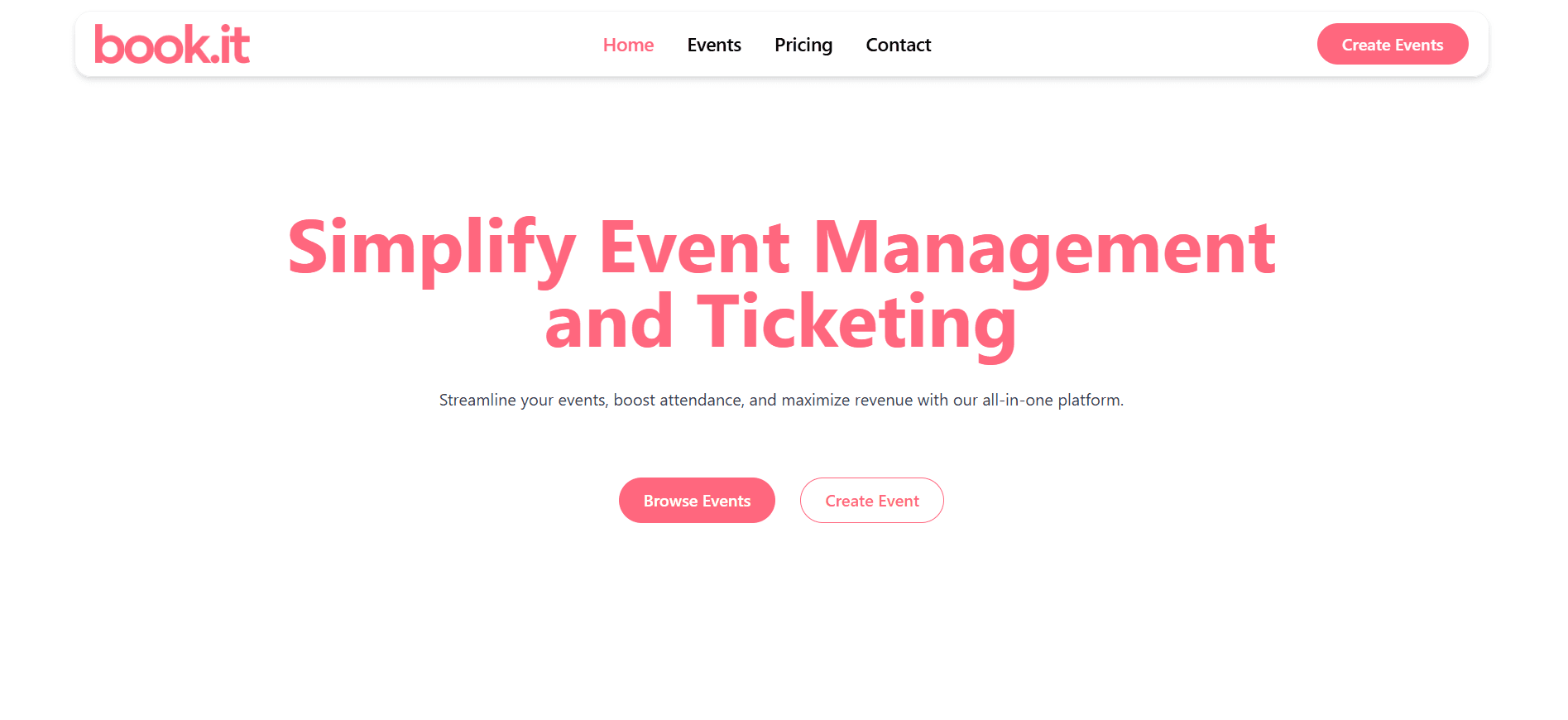
A modern event ticketing and booking platform built with Next.js, Go, and PostgreSQL. Features include secure payment processing, QR code tickets, and interactive seating maps.